
Open source · Windows 10 et 11 Pro · Apache 2.0

Docker sur Windows, sans Docker Desktop ni WSL.

Solon est un gestionnaire de conteneurs autonome : un installateur, un moteur Docker complet dans une petite machine Linux que Solon crée et gère lui-même. Pas de licence, pas de télémétrie, pas de WSL.

Solon_0.1.13_x64-setup.exe · 103 MB · SHA-256 8d360b243c4905bfdbb90376ab2ccfee8d4aa8f720e4d8321936241233ea9c69 · Versions

Windows 11 ou 10 22H2, éditions Pro, Entreprise ou Éducation, virtualisation matérielle activée. Vérifiez le SHA-256 publié avec chaque version.

L'installateur n'est pas encore signé : SmartScreen affiche un avertissement, choisissez « Informations complémentaires » puis « Exécuter quand même ». Une signature via la SignPath Foundation (signature gratuite pour les projets open source) a été demandée ; les versions seront signées dès l'acceptation du projet.
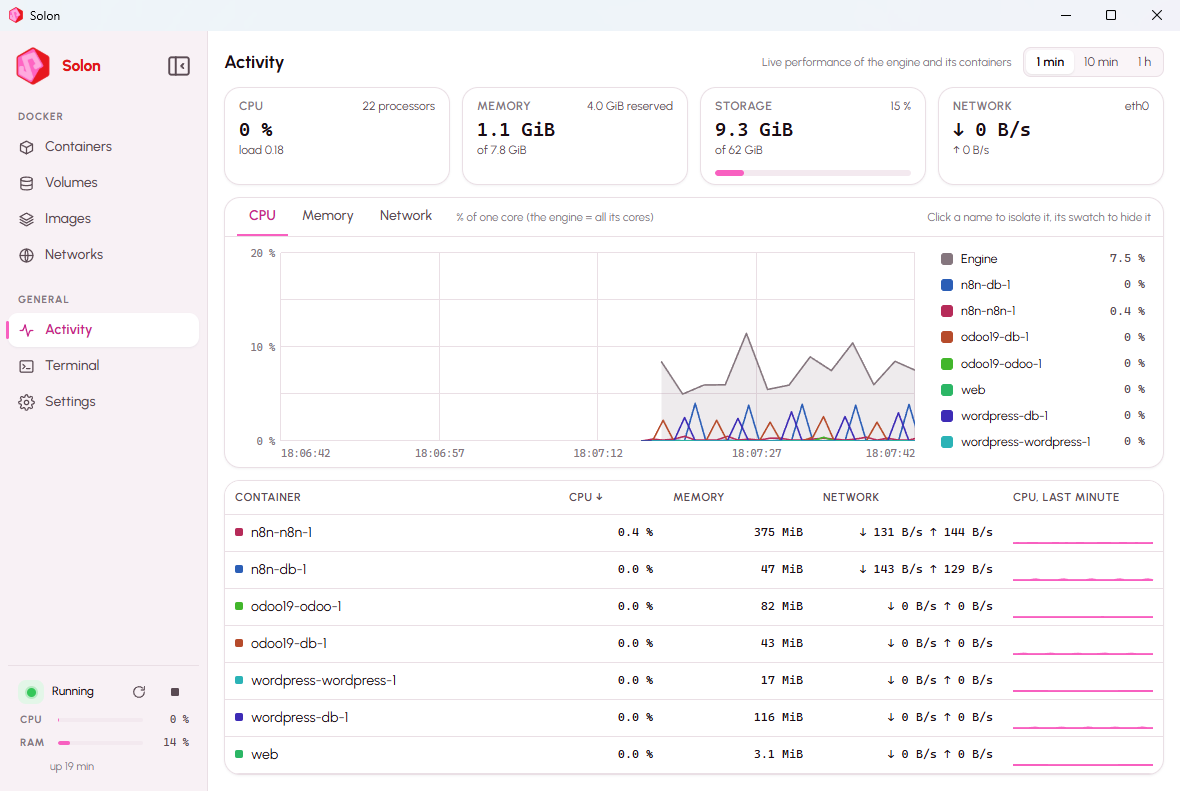
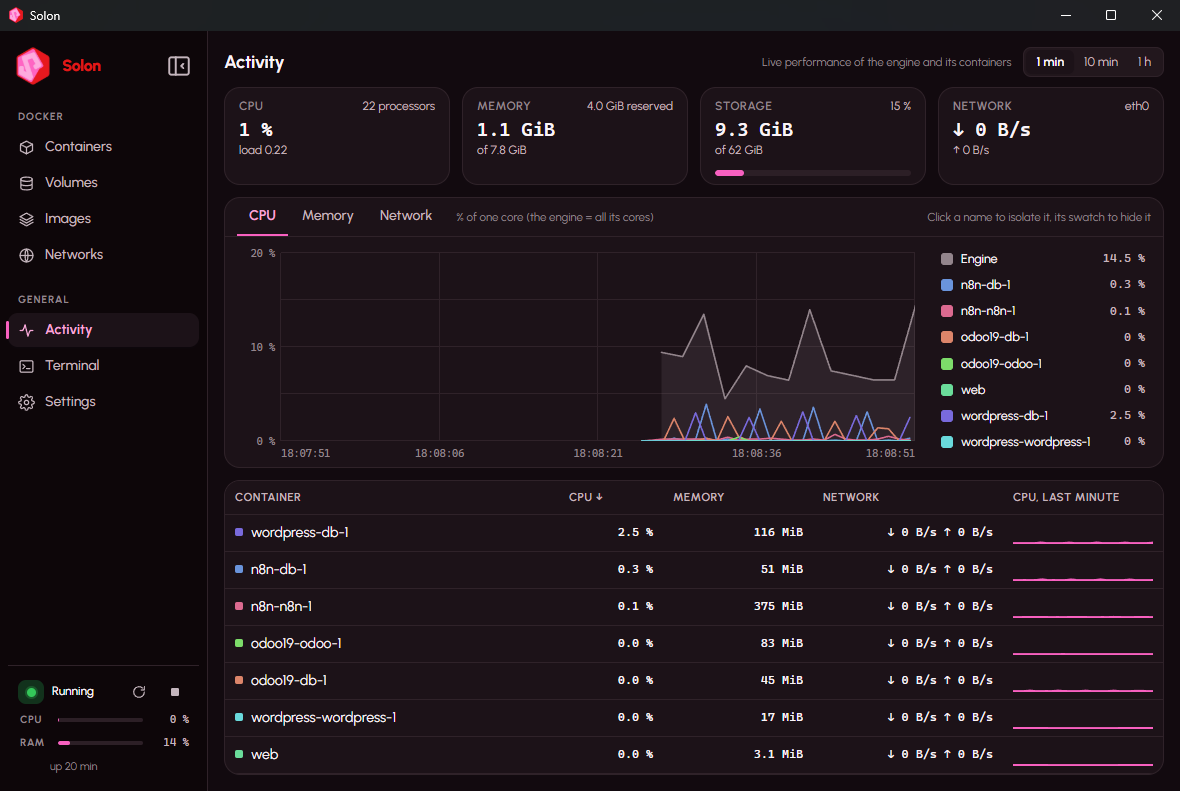
Page Activity de Solon : courbes CPU par conteneurPage Activity de Solon : courbes CPU par conteneur
≈ 3 smoteur prêt après l'ordre de démarrageDocker Desktop : 6,1 s
moins de mémoire, au repos comme avec une pile430–520 Mo contre 1 998 Mo
0télémétrie, compte, licenceApache 2.0

En action

Une pile en un clicNew stack… → n8n → Create and start. Vingt secondes plus tard, le navigateur s'ouvre sur https://n8n.n8n.solon.local avec un certificat reconnu. Aucun port à publier, rien à installer sur Windows.
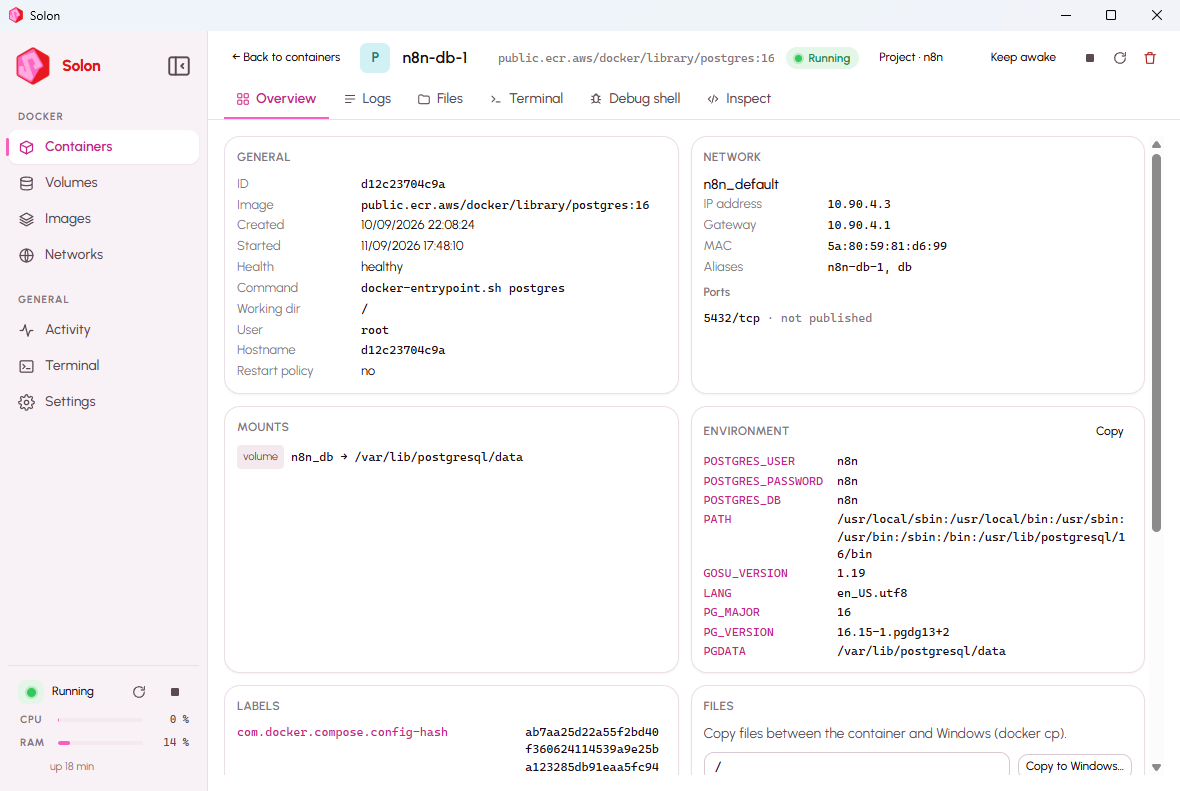
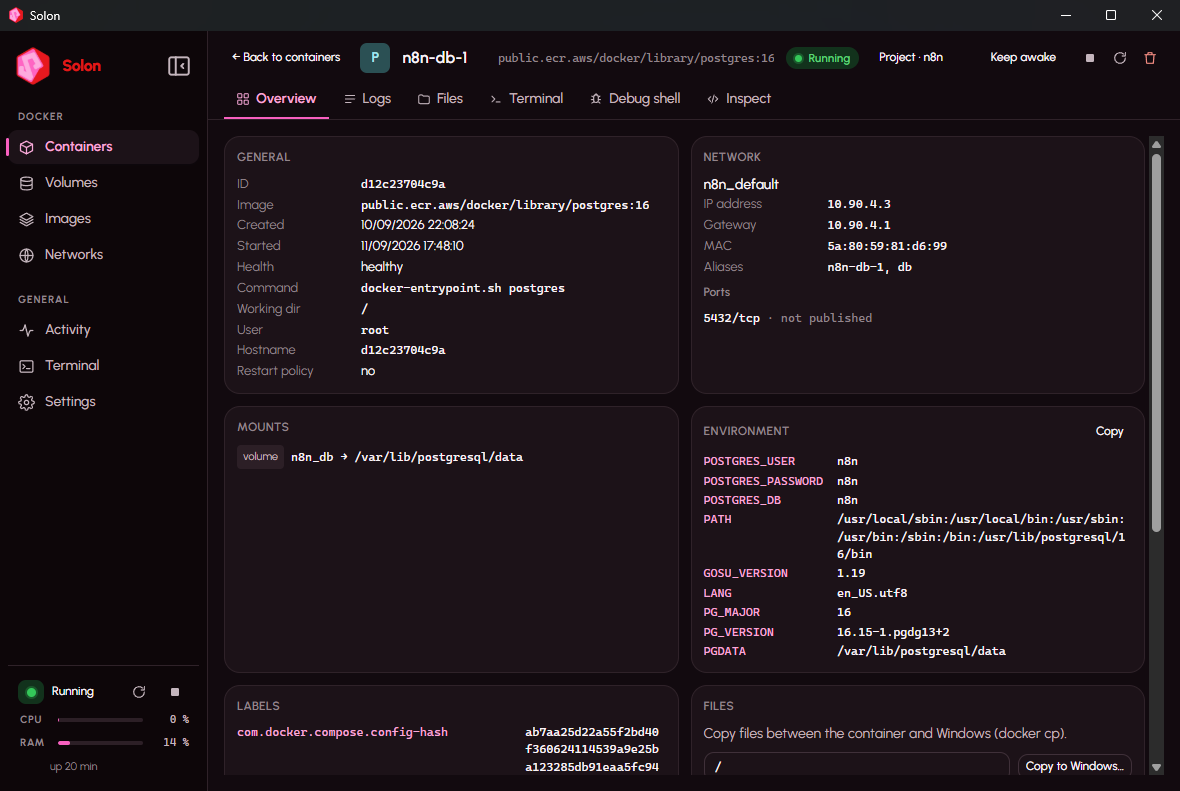
Voir dedansLa fiche d'un conteneur : journaux, onglet Fichiers pour parcourir et échanger des fichiers avec Windows, et le shell de débogage avec ps, curl et compagnie, même dans les images sans shell.
ActivityCPU, mémoire et réseau par conteneur, survol pour les valeurs exactes, clic sur un nom pour l'isoler, fenêtres 1 min / 10 min / 1 h.

Ce que Solon fait

Des adresses qui marchent toujours

Chaque conteneur répond sur https://<nom>.solon.local, port publié ou non, avec un certificat reconnu par votre navigateur. Les services Compose ont <service>.<projet>.solon.local.

Dossiers Windows rapides

Les dossiers montés dans les conteneurs passent par solonfs, le partage de fichiers de Solon : 3,6 à 94× plus rapide que le 9P utilisé par WSL2 et Docker Desktop.

Réveil à la demande

Un conteneur sans trafic pendant dix minutes est mis en pause ; la requête suivante le réveille en une fraction de seconde. Les bases qui ne parlent qu'en interne ne sont jamais touchées.

Piles prêtes

WordPress, PostgreSQL, MariaDB, MongoDB, Redis, n8n, Nextcloud, Ghost, Gitea, Jupyter Lab, Mailpit… et des kits de démarrage Django, Flask, FastAPI et Next.js qui génèrent un projet au premier lancement.

Compose, en entier

Ouvrez un dossier, Solon reconnaît la pile ou en propose une. Services, journaux mêlés, Up / Down / Rebuild, et le fichier Compose modifiable sur place avec Save and Up.

Voir dedans

Onglet Fichiers avec glisser-déposer, terminal, shell de débogage même dans les images sans shell, courbes CPU, mémoire et réseau par conteneur. VS Code Dev Containers fonctionne tel quel.
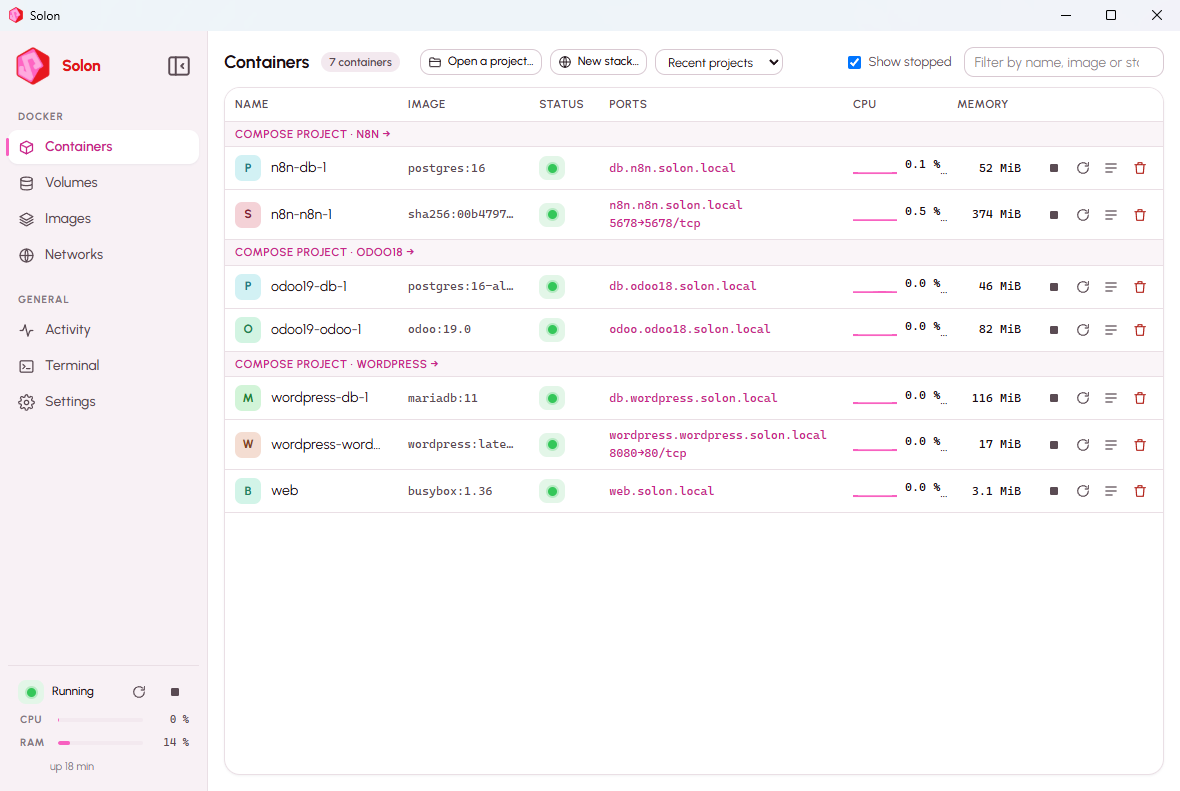
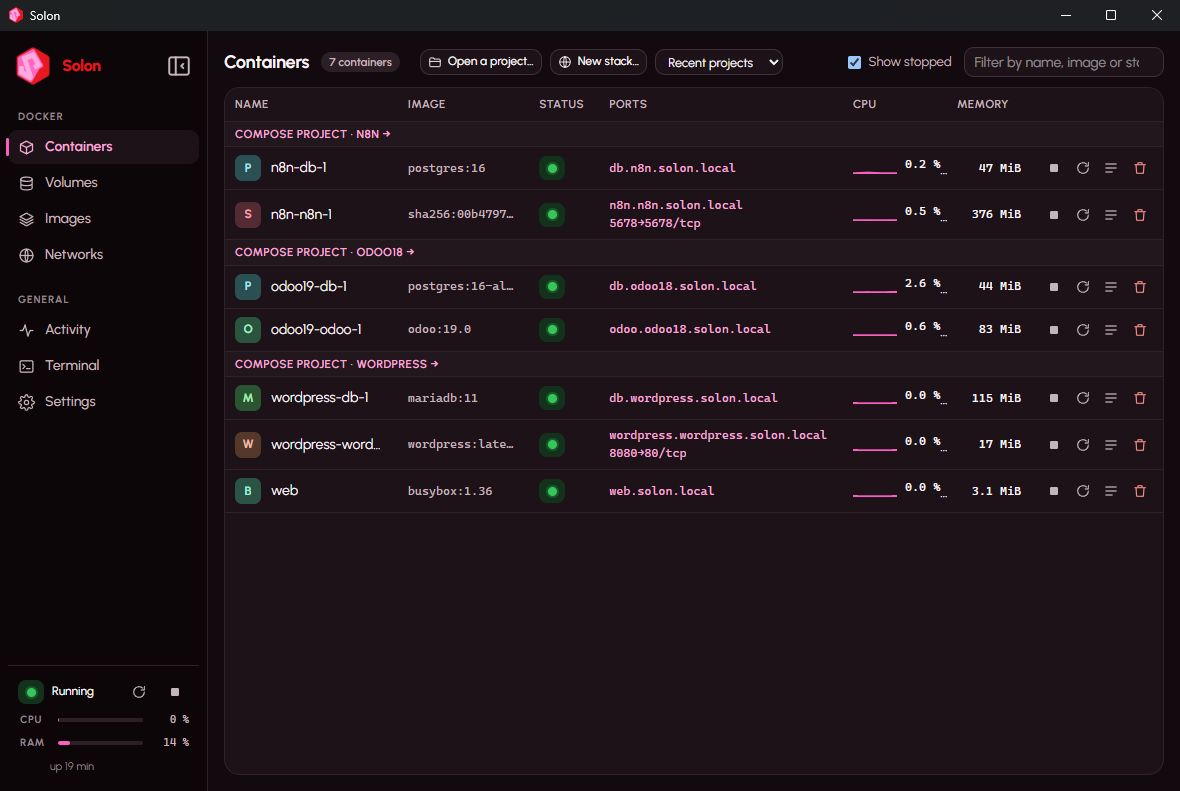
Conteneurs groupés par projet Compose, chacun avec son adresse solon.local.
La fiche d'un conteneur : réseau, montages, environnement, fichiers, terminal, shell de débogage.
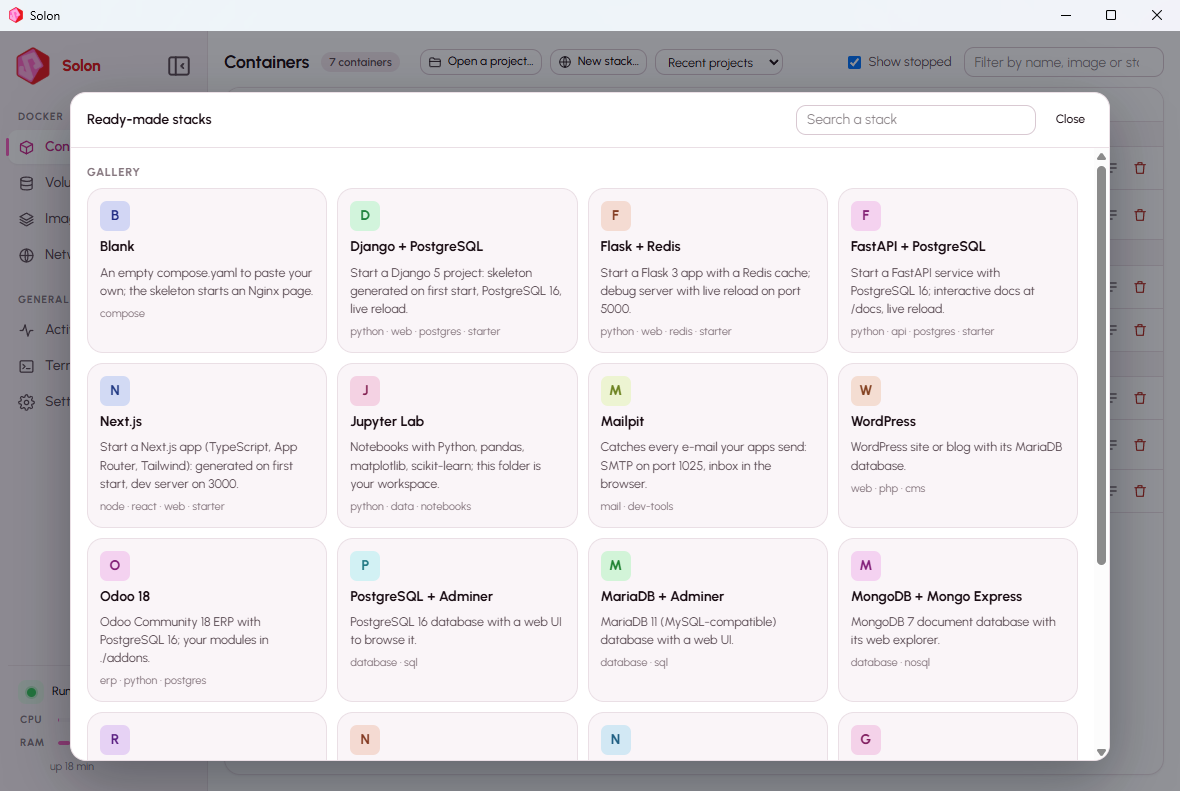
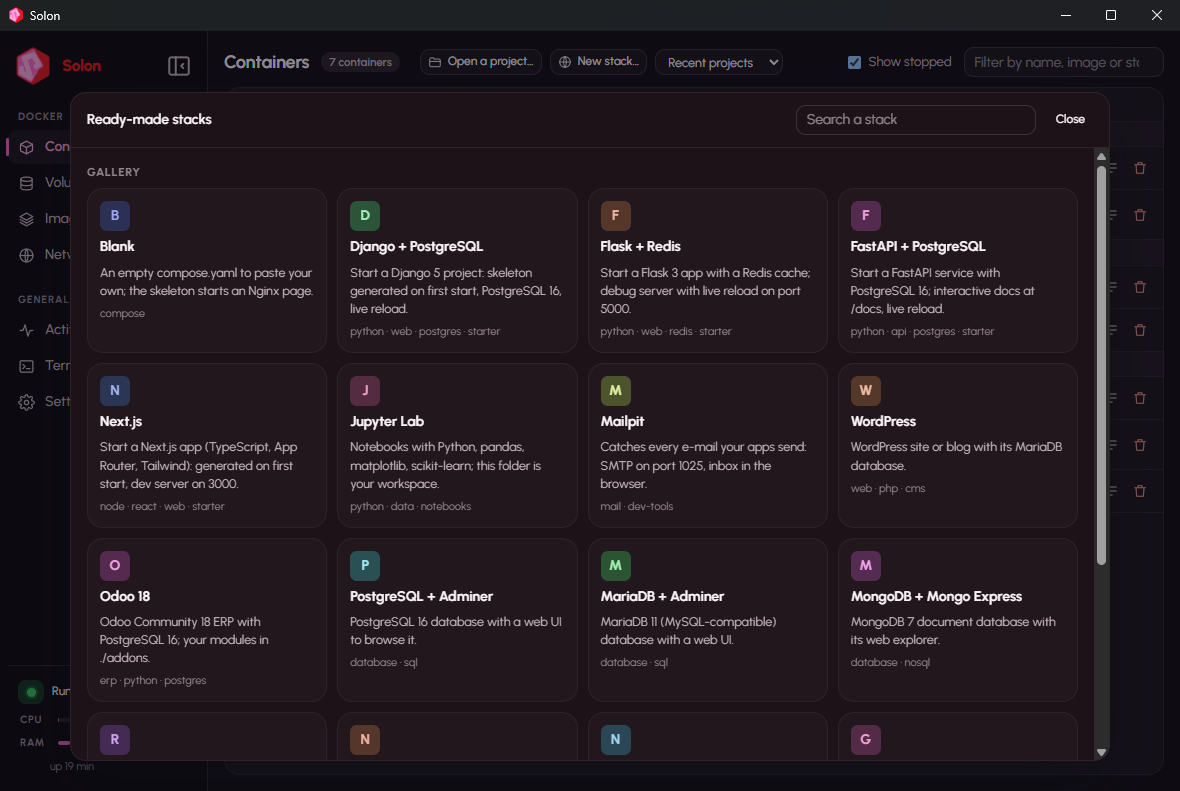
La galerie de piles prêtes et de kits de démarrage.

Mesuré face à Docker Desktop, comparé aux autres

Même machine (Windows 11 Pro, 24 cœurs logiques), même pile Compose (une application web Python et PostgreSQL 16), réglages par défaut des deux côtés. Docker Desktop 4.66.1 mesuré le 3 septembre 2026, puis désinstallé ; Solon 0.1.0 remesuré le 10 septembre 2026 avec le script du dossier bench/.

Docker DesktopSolon
Moteur prêt après l'ordre de démarrage6,1 s2,6 à 3,4 s
Mémoire au repos, aucun conteneur1 998 Mo430 à 520 Mo
Mémoire avec la pile qui tourne5 146 Mo1 196 Mo
compose down puis up -d7,1 s5,2 s
L'application web répond après up1,5 s1,0 à 2,5 s
Page de connexion, moyenne de 527 à 46 ms48 à 88 ms
Initialisation de la base avec données d'exemple (CPU)13,6 s12,9 à 13,4 s
Écritures synchrones sur un volume, fdatasync / fsync154 / 79 ops/s240–290 / 132–137 ops/s
Dossier Windows, 5 000 fichiers : listage / attributs / lectures / écritures9P6,6× / 94× / 3,6–9× / 4× plus rapide

Honnêtement : Solon gagne sur ce qui coûte tous les jours (démarrage, mémoire, fichiers, écritures disque) ; sur le calcul pur les deux sont équivalents ; la latence web est identique. Reproductible avec bench/bench.ps1. bench/

Empreinte

Solon mesuré le 13 septembre 2026 avec trois conteneurs en marche ; Docker Desktop mesuré sur la même machine ; Podman Desktop et Rancher Desktop d'après leur documentation (publié, pas mesuré ici).

SolonDocker DesktopPodman DesktopRancher Desktop
Installateur102 Mo≈ 600 Mo (publié)≈ 100 Mo + machine WSL (publié)≈ 500 Mo (publié)
Installé sur le disque406 Mo6 Go requis (publié)500 Mo + 2 à 10 Go d'images (publié)non publié
Mémoire au repos, aucun conteneur430 à 520 Mo1 998 Momachine WSL 2, jusqu'à 50 % de la RAM (publié)moitié des cœurs et de la RAM par défaut (publié)
Mémoire avec une application web + PostgreSQL1 196 Mo5 146 Monon mesurénon mesuré
Exige WSL 2nonoui, ou ancien moteur Hyper-Vouioui

Fonctionnalités comparées

Solon en 0.1.12 ; les autres d'après leur documentation en septembre 2026. « Partiel » : la fonction existe avec une réserve.

SolonDocker DesktopPodman DesktopRancher Desktop
CLI docker et Compose officiels, sans aliasouiouipartiel : socket compatibleoui (moby)
Fonctionne sans WSL 2ouipartiel : ancien moteur Hyper-Vnonnon
Windows Familleouiouiouioui
https://service.projet.solon.local pour chaque conteneur, certificat reconnuouinonnonnon
Page Projets : adresse, environnement, ports vérifiés avant Up, journaux filtrésouipartiel : liste Composepartiel : liste Composenon
Un environnement par branche Git, volumes copiésouinonnonnon
Sauvegarde et restauration d'un projet, volumes comprisouipartiel : extensionnonnon
Conteneurs inactifs en veille, réveil à la demandeouipartiel : toute la machine (Resource Saver)nonnon
Dossiers Windows partagés par solonfs, 4 à 94× plus rapide que 9Pouinon : 9Pnon : 9Pnon : 9P
Recherche des projets Compose sur le disqueouinonnonnon
VS Code Dev Containersoui, vérifiéouipartiel : réglage du cheminoui
Kubernetes intégrénonouipartiel : extensionsoui (K3s)
Conteneurs Windowsnonouinonnon
Place de marché d'extensionsnonouiouinon
Gratuit en entrepriseoui (Apache 2.0)payant au-delà de 250 salariés ou 10 M$ouioui
Installateur signépas encoreouiouioui

Piles et kits de démarrage

« New stack… » ouvre une galerie. On choisit, on désigne un dossier, on relit le compose.yaml généré, « Créer et démarrer ». Ouvrir un dossier sans fichier Compose fait regarder à Solon ce qu'il contient pour proposer un environnement.

Kits de démarrage

Le dossier du projet est monté dans le conteneur ; au premier Up, un petit script installe les dépendances, génère le squelette officiel si le dossier est vide, puis lance le serveur de développement avec rechargement à chaud. Rien à installer sur Windows.

Django + PostgreSQLFlask + RedisFastAPI + PostgreSQLNext.js

Applications prêtes

WordPressPostgreSQL + AdminerMariaDB + AdminerMongoDB + Mongo ExpressRedisn8nNextcloudGhostGiteaUptime KumaJupyter LabStatic site (Nginx)

Outils du développeur

MailpitBlank compose.yaml

Versions

Chaque version fournit l'installateur et son SHA-256. Installer par-dessus une version précédente conserve images, conteneurs et volumes.

Solon 0.1.13

Solon updates itself in one click, and still never behind your back. *Version française plus bas.* New - Install update from the app. When a new version exists (banner at the top, or Settings → Updates), *Install update* downloads the installer from github.com, checks its SHA-256 against the `SHA256SUMS.txt` published with the release, then Windows asks you to allow the install. The engine and running containers stop for about a minute; Solon reopens and starts them again. A file whose checksum does not match is deleted and never run. *Download* is still there to do it by hand. - Compose file checked before saving. The Compose tab now shows line numbers. YAML syntax is checked as you type; on Save, `docker compose config` checks the structure (unknown key, wrong type, undeclared network, missing env file…). The error appears with the faulty line marked in the gutter and a *Go to line* button; *Save anyway* stays available. Engine stopped: syntax only. Installation Download `Solon_0.1.13_x64-setup.exe` and check its SHA-256 against `SHA256SUMS.txt`. Installing over 0.1.x keeps your images, containers and volumes. If VS Code's Containers view stops refreshing after the update, run *Developer: Reload Window* once.

Solon 0.1.12

Solon now runs on Windows Home, and installs on a freshly installed Windows. *Version française plus bas.* New - Windows Home is supported. Home has no Hyper-V role and no `vmms` service, but it has the Virtual Machine Platform, and that is all Solon needs since file sharing moved to solonfs. The installer enables the platform and asks for one restart. Verified on Windows 11 Home 25H2: engine ready, `docker` working, Windows folders shared both ways, published ports and `*.solon.local` addresses. The legacy 9P file-sharing fallback is unavailable on Home; the default sharing works. Fixed - Fresh Windows: the service would not start. A freshly installed Windows has no `vcruntime140.dll`; Solon's service failed with "DLL not found" (0xC0000135) and the installer sat on an invisible error dialog. This affected any edition without the Visual C++ redistributable. All Solon executables now embed the C runtime and depend on nothing but Windows itself. Installation Download `Solon_0.1.12_x64-setup.exe` and check its SHA-256 against `SHA256SUMS.txt`. Installing over 0.1.x keeps your images, containers and volumes. The installer is not signed yet: in SmartScreen click *More info*, then *Run anyway*. If VS Code's Containers view stops refreshing after the update, run *Developer: Reload Window* once.

Solon 0.1.11

A simpler Projects page and an installer that looks like Solon. *Version française plus bas.* Changed - "Always start with Solon" is gone. The checkbox on each project card and the list in Settings are removed. Solon keeps doing the one thing that matters: what was running when it stopped is started again when it comes back ("Resume what was running", on by default). Existing settings files that still mention the old option are read without complaint. - The installer carries Solon's icon. `Solon_0.1.11_x64-setup.exe` shows the Solon hexagon in Explorer and in your browser's downloads instead of the generic installer icon, and the setup pages show the logo in the header and side panel. Installation Download `Solon_0.1.11_x64-setup.exe` and check its SHA-256 against `SHA256SUMS.txt`. Installing over 0.1.x keeps your images, containers and volumes. The installer is not signed yet: in SmartScreen click *More info*, then *Run anyway*. If VS Code's Containers view stops refreshing after the update, run *Developer: Reload Window* once.

Solon 0.1.10

VS Code Dev Containers works with Solon. *Version française plus bas.* Fixed - `docker exec -i` never saw the end of its input. Piping data into a container (`tar … | docker exec -i … tar -xf -`) hung forever: Solon's Docker pipe was in byte mode, where the Windows Docker client has no way to say "I am done writing". The pipe is now in message mode, like Docker Desktop's, and the container's output keeps flowing after the input ends. This is exactly how the VS Code Dev Containers extension installs its server inside a container. - VS Code's Containers view stopped refreshing on its own. The Containers extension listens to `docker events` once, at startup, and gives up for good after three immediate failures. Solon's Docker pipe only appeared once the machine was up, so a VS Code window opened while Solon was starting (at logon, or during an update) lost live refresh for the whole session and needed the Refresh button. The pipe now exists from the moment the Solon service starts; a `docker` command that arrives while the engine is still starting waits for it instead of failing. When Solon is stopped, `docker` gets a clear "Solon is stopped. Open the Solon app to start it." A window that already lost its listener re-arms it with *Developer: Reload Window*. - `docker` with the default context. The Dev Containers extension runs `docker` with `DOCKER_CONTEXT=default`; Solon's `docker` took that as a request for another engine and pointed at Docker Desktop's pipe. The default context now follows Solon, as Docker intends. With both fixes, Dev Containers open on Solon. New - Dev Containers documented: a `.devcontainer/devcontainer.json` folder opens in VS Code with "Reopen in Container" using Solon's `docker`; the workspace is mounted both ways, ports are forwarded, and the container shows up in Solon like any other. See the README. Installation Download `Solon_0.1.10_x64-setup.exe` and check its SHA-256 against `SHA256SUMS.txt`. Installing over 0.1.x keeps your images, containers and volumes. The installer is not signed yet: in SmartScreen click *More info*, then *Run anyway*.

Solon 0.1.9

Polish after a full walk through the app. *Version française plus bas.* Fixed - Sleeping services count as running. A service paused by Solon (wake on demand) showed the project as "1/2 running" with no address; it is reachable, so cards, addresses and counters now treat it as running. - Containers list: the "Asleep" pill no longer overflows its column. - Container page: long names stay on one line; the Inspect tab wraps its JSON instead of scrolling sideways. - Images: the registry mirror prefix is hidden; the short name is shown, the full one on hover. - Debug shell on a fresh engine: when the registry limited anonymous downloads, the toolbox build failed silently. Solon now prepares the base image itself, falls back to Docker Hub, and explains when it cannot. - Escape closes the stack gallery and the "Find projects" dialog; Ctrl+8 works from the terminals. Installation Download `Solon_0.1.9_x64-setup.exe` and check its SHA-256 against `SHA256SUMS.txt`. Installing over 0.1.x keeps your images, containers and volumes. The installer is not signed yet: in SmartScreen click *More info*, then *Run anyway*.

Limites connues

  • Windows Famille fonctionne aussi : l'installateur active la Plateforme de machine virtuelle, qui suffit à Solon.
  • Pas de Kubernetes, pas de machines Linux séparées, pas d'images ARM (x86-64 seulement).
  • L'installateur n'est pas encore signé ; c'est la prochaine étape avant un lancement plus large.
  • Pas de mise à jour silencieuse : Solon signale qu'une nouvelle version existe (Réglages → Mises à jour, désactivable). Un clic télécharge l'installateur, vérifie son SHA-256 et laisse Windows vous demander l'autorisation avant d'installer.
  • Testé sur la machine de développement et une machine vierge. Les retours d'autres configurations sont bienvenus.